.
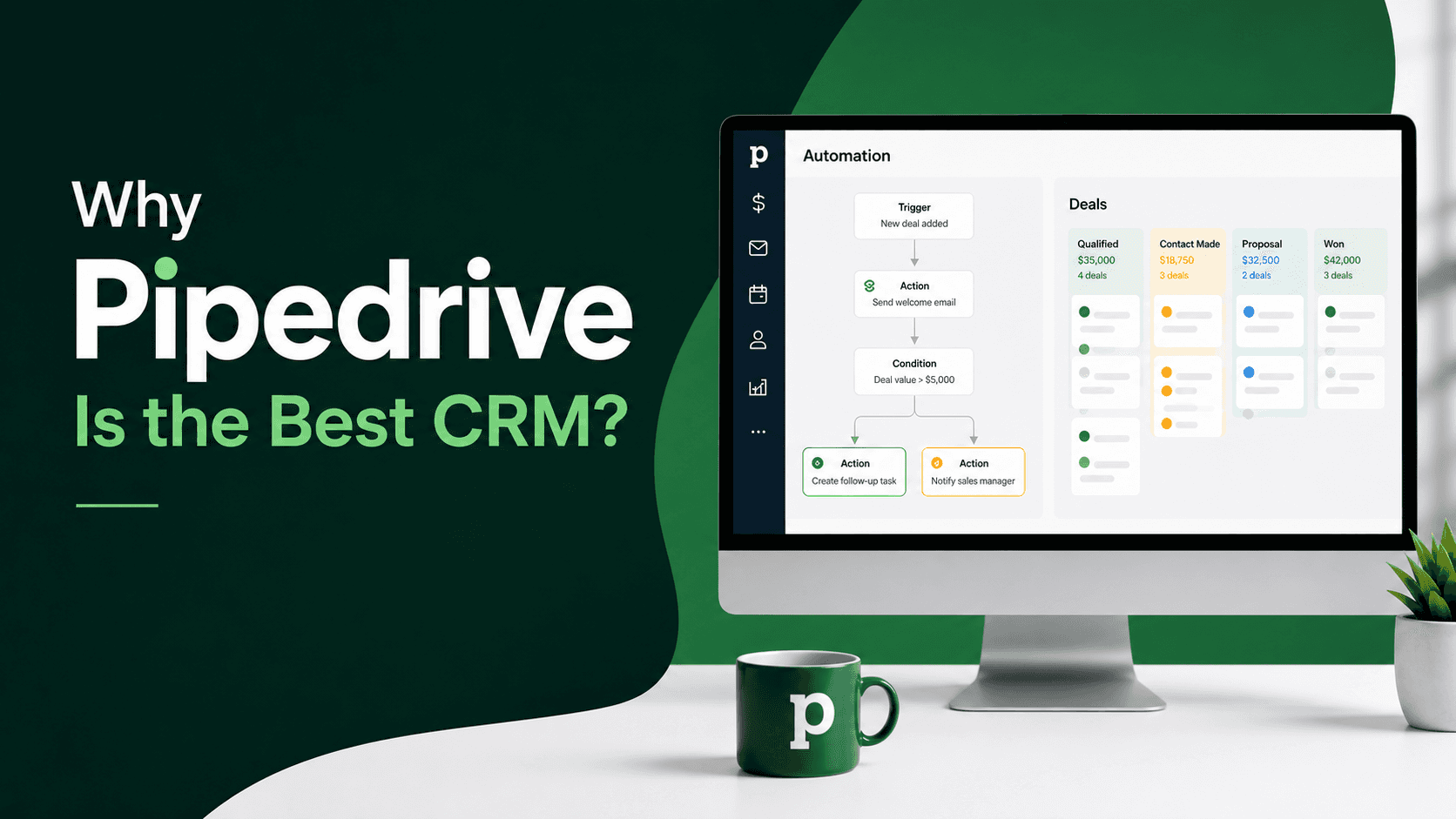
Most CRMs are built for everyone. That's exactly why they frustrate salespeople.
If your team is spending more time updating fields than closing deals, your CRM is working against you. Pipedrive is the best CRM for sales teams because it was designed by salespeople, for salespeople — with one goal: get deals closed faster.
This guide covers why Pipedrive consistently outperforms the competition, how it stacks up against HubSpot, which integrations deliver the most value, and when it makes sense to bring in a Pipedrive Elite Partner to implement it properly.

Most CRMs are built for everyone. That's exactly why they frustrate salespeople.
If your team is spending more time updating fields than closing deals, your CRM is working against you. Pipedrive is the best CRM for sales teams because it was designed by salespeople, for salespeople — with one goal: get deals closed faster.
This guide covers why Pipedrive consistently outperforms the competition, how it stacks up against HubSpot, which integrations deliver the most value, and when it makes sense to bring in a Pipedrive Elite Partner to implement it properly.
What Makes Pipedrive the Best CRM for Sales Teams
Pipedrive isn't trying to be a marketing platform or a support desk. It's a pure sales tool — and that focus is what makes it exceptional.
Here's what sets it apart:
Pipeline-first design — Every feature centres around moving deals forward
Activity-based selling — Pipedrive coaches your team on what to do next, not just what happened
Minimal data entry — Automatic logging of emails, calls, and meetings reduces admin by hours per week
Visual clarity — Your entire pipeline is visible at a glance. No digging through menus.
Fast onboarding — Most sales reps are productive within a day, not a week
Affordable pricing — Full sales CRM functionality starts at a fraction of enterprise-tier platforms
The result: sales teams actually use it. And a CRM that gets used generates data, surfaces problems, and drives revenue. One that collects dust does none of those things.
Real-world example: A B2B services firm running a 6-person outbound team switched from Salesforce to Pipedrive. Within 60 days, deal visibility improved, average follow-up time dropped, and the sales manager spent 3 fewer hours per week on reporting. The tool got out of the way.
Pipedrive vs HubSpot: Which CRM Is Right for Your Team?
This is the most common question we hear. The honest answer: it depends on what your team actually does day-to-day.
Here's a direct comparison for sales-led businesses:
Feature | Pipedrive | HubSpot |
|---|---|---|
Primary focus | Sales pipeline | Marketing + Sales + Service |
Ease of use for sales reps | ⭐⭐⭐⭐⭐ | ⭐⭐⭐⭐ |
Pipeline customisation | Excellent | Good |
Email marketing | Basic | Excellent |
Automation (sales-specific) | Strong | Strong |
Reporting depth | Good | Excellent |
Price (entry-level paid) | ~£14/user/month | ~£15/month (flat) |
Best for | Sales-focused teams | Full go-to-market teams |
Pipedrive vs HubSpot for B2B Sales
For pure B2B sales — outbound prospecting, deal management, pipeline forecasting — Pipedrive wins on usability and sales rep adoption. It doesn't force your team through a marketing-first interface to do sales-second tasks.
HubSpot makes more sense when your business needs a shared platform for marketing, sales, and customer success under one roof, and when your team has the bandwidth to configure and maintain a more complex system.
If your primary bottleneck is closing deals, choose Pipedrive. If your bottleneck is marketing and lead generation, HubSpot has the edge.
Bottom line: Don't buy the platform with more features. Buy the one your team will actually use.
Top Pipedrive CRM Integrations for Small Business (2026)
A CRM is only as powerful as the tools connected to it. The best Pipedrive CRM integrations for small business in 2026 eliminate manual data entry, reduce context-switching, and keep your pipeline accurate automatically.
Essential Integrations to Set Up First
1. Gmail / Google Workspace Sync your inbox with Pipedrive so every email sent and received is logged against the right deal or contact. No manual logging. No missed follow-ups.
2. Outlook / Microsoft 365 Same benefit for Microsoft users. Pipedrive's sidebar add-in works directly inside Outlook — your reps never have to leave their inbox.
3. Slack Get deal and activity notifications in your team's Slack channels. When a deal moves to the next stage or a big contract is closed, the whole team knows instantly.
4. Zapier Connect Pipedrive to 5,000+ apps without code. Common use cases: push new form submissions from your website into Pipedrive as leads, sync Pipedrive deals with your project management tool, or trigger invoices when a deal closes.
5. Calendly When a prospect books a meeting through Calendly, it automatically creates a contact and activity in Pipedrive. No copy-pasting.
6. QuickBooks / Xero Close a deal in Pipedrive and trigger invoice creation automatically. Keeps your sales and finance teams aligned without the back-and-forth.
7. LeadBooster (Native Pipedrive Add-on) Pipedrive's own lead generation tool. Add a chatbot and live chat to your website that feeds contacts directly into your CRM.
Integration Priority by Business Type
Business Type | Start With |
|---|---|
B2B outbound sales | Gmail/Outlook + Slack + Calendly |
E-commerce | Zapier + QuickBooks/Xero |
Agency / services | Calendly + project management tool |
Inbound-heavy | LeadBooster + form integration |
Cloudify tip: Before building integrations, map your lead journey from first touch to closed deal. Know exactly where data enters the business and where it needs to go. This prevents duplicate records, broken automation, and messy pipelines — the three most common integration problems we fix for new clients.
How to Set Up Pipedrive for Your Sales Team: Step-by-Step
Getting Pipedrive right from day one is more important than getting it done fast. Here's the correct order:
Step 1: Configure Your Pipeline Stages
Go to Settings → Pipelines and replace the default stages with ones that reflect how your team actually sells. Most B2B sales teams work well with 5–7 stages:
Lead In
Qualified
Demo / Discovery Booked
Proposal Sent
Negotiation
Closed Won / Closed Lost
Assign win probability percentages to each stage. Pipedrive uses these to calculate your weighted pipeline value automatically.
Step 2: Set Up Custom Fields
Your deals, contacts, and organisations will have data that's unique to your business — industry, deal source, contract length, product type. Add these as custom fields rather than cramming everything into the notes field.
Go to Settings → Data Fields to create them.
Step 3: Connect Your Email
Link Gmail or Outlook under Settings → Email. This takes five minutes and immediately eliminates manual email logging for your entire team.
Step 4: Import Your Contacts and Deals
Go to Contacts → Import Data. Prepare a clean CSV with names, emails, phone numbers, and company names. Map each column to the correct Pipedrive field during import.
Audit your list before importing. Bad data in = bad data out.
Step 5: Build Your First Automation
Go to Automation and create a simple workflow:
Trigger: Deal stage changes to "Proposal Sent"
Action: Create activity — "Follow up in 3 days"
Action: Send internal notification to deal owner
That single automation prevents your most common revenue leak: proposals that go cold because no one followed up.
Step 6: Set Up Your Dashboard
Go to Insights and build a dashboard with the metrics your team reviews weekly:
Open deals by stage
Activities completed vs. target
Revenue closed this month vs. goal
Average deal velocity
Deals lost and reason
Share it with the whole team. Visibility drives accountability.
When to Work With a Pipedrive CRM Integration Partner
Self-implementation works fine for small, simple setups. But if any of the following apply to you, working with a Pipedrive CRM integration partner will save significant time — and prevent the mistakes that take months to unwind:
You're migrating from another CRM (Salesforce, HubSpot, Zoho) with existing deal and contact history
You need custom integrations with your ERP, billing system, or proprietary tools
Your sales process has multiple pipelines, teams, or territories
You've tried setting it up internally and adoption is low
You have a go-live deadline you can't miss
A certified Pipedrive CRM integration service doesn't just plug in the software. They analyse your current process, identify where deals are stalling, design a pipeline that matches how your team actually works, and build integrations that eliminate the manual steps slowing your team down.
What a Pipedrive Elite Partner Does Differently
Pipedrive Elite Partners are among the top-tier certified agencies globally — a designation Pipedrive reserves for partners with demonstrated implementation expertise and client results. Compared to general IT consultants or in-house implementation:
They've seen the same configuration mistakes hundreds of times — and know how to avoid them
They have direct access to Pipedrive's partner support for faster issue resolution
They can build custom integrations beyond what's available in the standard marketplace
They provide post-launch training to drive adoption, not just technical setup
At Cloudify, we're a certified Pipedrive partner with deep experience in CRM implementation and custom integration. We've helped sales teams move from spreadsheet chaos to a pipeline that management trusts and reps actually use.
See our Pipedrive implementation services → Book a free consultation →
Pipedrive Plans: What You Need for a Small Business in 2026
Plan | Price (approx.) | Best For |
|---|---|---|
Essential | ~£14/user/month | Solo sellers and very small teams |
Advanced | ~£24/user/month | Teams needing email automation |
Professional | ~£49/user/month | Full sales teams with reporting needs |
Power | ~£59/user/month | Complex teams, project management |
Enterprise | ~£79/user/month | Large sales orgs, advanced security |
Recommendation for small businesses: Start on Advanced. It unlocks email sequences and workflow automation — the two features that deliver the most time savings for small teams. Essential is too limited; Professional is the next meaningful step up once you're hitting the Advanced ceiling.
Frequently Asked Questions
Q: Why is Pipedrive considered the best CRM for sales teams?
Pipedrive is built exclusively around sales pipeline management. Unlike broader platforms that split attention across marketing and support, every Pipedrive feature is designed to help salespeople move deals forward. The result is faster adoption, less admin, and cleaner pipeline data.
Q: How does Pipedrive compare to HubSpot for B2B sales?
For pure sales activity — prospecting, pipeline management, deal forecasting — Pipedrive is simpler, faster to adopt, and more affordable. HubSpot is stronger when you need an integrated marketing and sales platform. Most B2B sales teams with a dedicated sales focus choose Pipedrive.
Q: What are the best Pipedrive CRM integrations for small business in 2026?
The highest-impact integrations are Gmail/Outlook (automatic email logging), Slack (deal notifications), Calendly (automatic meeting logging), and Zapier (connecting Pipedrive to any other tool you use). Start with two or three and add more as your process matures.
Q: Do I need a Pipedrive CRM integration partner? Not for a basic setup. If you're migrating data from another CRM, need custom integrations, or have a complex multi-team sales process, a certified partner will save you weeks of trial and error and prevent data problems that are costly to fix later.
Q: What is a Pipedrive Elite Partner?
Pipedrive Elite Partners are top-tier certified implementation agencies with proven track records of successful deployments. They have direct access to Pipedrive support, deeper platform expertise, and the ability to build custom integrations. Working with one reduces risk significantly on complex implementations.
Q: How long does Pipedrive CRM implementation take?
A basic setup — pipeline configuration, email integration, and contact import — can be done in a day. A full implementation with custom integrations, data migration, automation workflows, and team training typically takes 2–6 weeks depending on complexity.
Conclusion
If your team's job is selling, Pipedrive is the best CRM for sales teams — full stop. It stays out of your team's way, keeps your pipeline visible, and automates the admin that eats into selling time.
The key decisions are getting the right Pipedrive CRM integration setup from day one, choosing a plan that matches where you are now (not where you hope to be in three years), and making sure your team is trained to use it consistently.
If you want to skip the configuration headaches and get a working system your sales team will actually adopt, Cloudify's certified Pipedrive experts are ready to help.
Book your free Pipedrive consultation → Explore our CRM integration services →
Frequently Asked Questions
What is the Cloudify Partner Program?
The Cloudify Partner Program is a structured reseller and referral program for accountants, advisory firms, and digital agencies. Partners earn recurring commissions by introducing clients to Cloudify's automation platform, which connects Shopify, Amazon, WooCommerce, HubSpot, Pipedrive, Xero, and QuickBooks. Cloudify handles demos, workflow mapping, and technical onboarding — partners earn structured commissions without managing the implementation themselves.
Who should join the Cloudify Partner Program?
The program is designed for two audiences: (1) Accounting and advisory firms that work with ecommerce clients and want to offer automation as part of their service stack, and (2) Digital and web agencies that manage clients' tech stacks and want to add integration and workflow automation without hiring developers.
What integrations does Cloudify support for partners?
Cloudify supports integrations including Shopify–Xero, Shopify–QuickBooks, HubSpot–Xero, Pipedrive–Xero, Amazon–Xero, WooCommerce–Xero, and payroll automation. Full integration details are available at (accounting systems) and CRM systems).
How do Cloudify partners earn commissions?
Cloudify offers structured recurring commissions. Partners earn on every client they onboard, with commissions continuing as long as the client stays active. Apply here.
Does Cloudify provide onboarding support for partners?
Yes. Cloudify provides done-for-you onboarding exclusively for partners and their clients. This includes demos, workflow mapping, and technical setup — all managed by the Cloudify team. Details here .
